You’ve tried one. Maybe two.
You signed up in January because a guy in a Facebook group swore by it. You spent a Sunday entering your active jobs. You got your brother-in-law to download the app. By March you were back to texting clients from your phone and writing addresses on the back of a Home Depot receipt, and the subscription kept charging you until you finally remembered to cancel it in June.
So when someone says the words "construction CRM software," your reaction is not curiosity. It's a specific memory of wasted Sundays. Let's talk about how to fix that.
What went wrong the first time with your CRM software
Almost every abandoned CRM fails the same way. The software asked you to maintain it. Every lead you added, every stage you dragged a card into, every note you typed after a call was work you did for the system, on top of the work you did for the job. The payoff was supposed to come later, in a dashboard.
That trade only makes sense if someone else is doing the entering. At a 40-person company, an office manager keeps the CRM current and the owner gets the benefit. At a 3-person shop, you’re the office manager and the owner and the guy hanging cabinet doors.
The second thing that went wrong: it lived apart from the work.
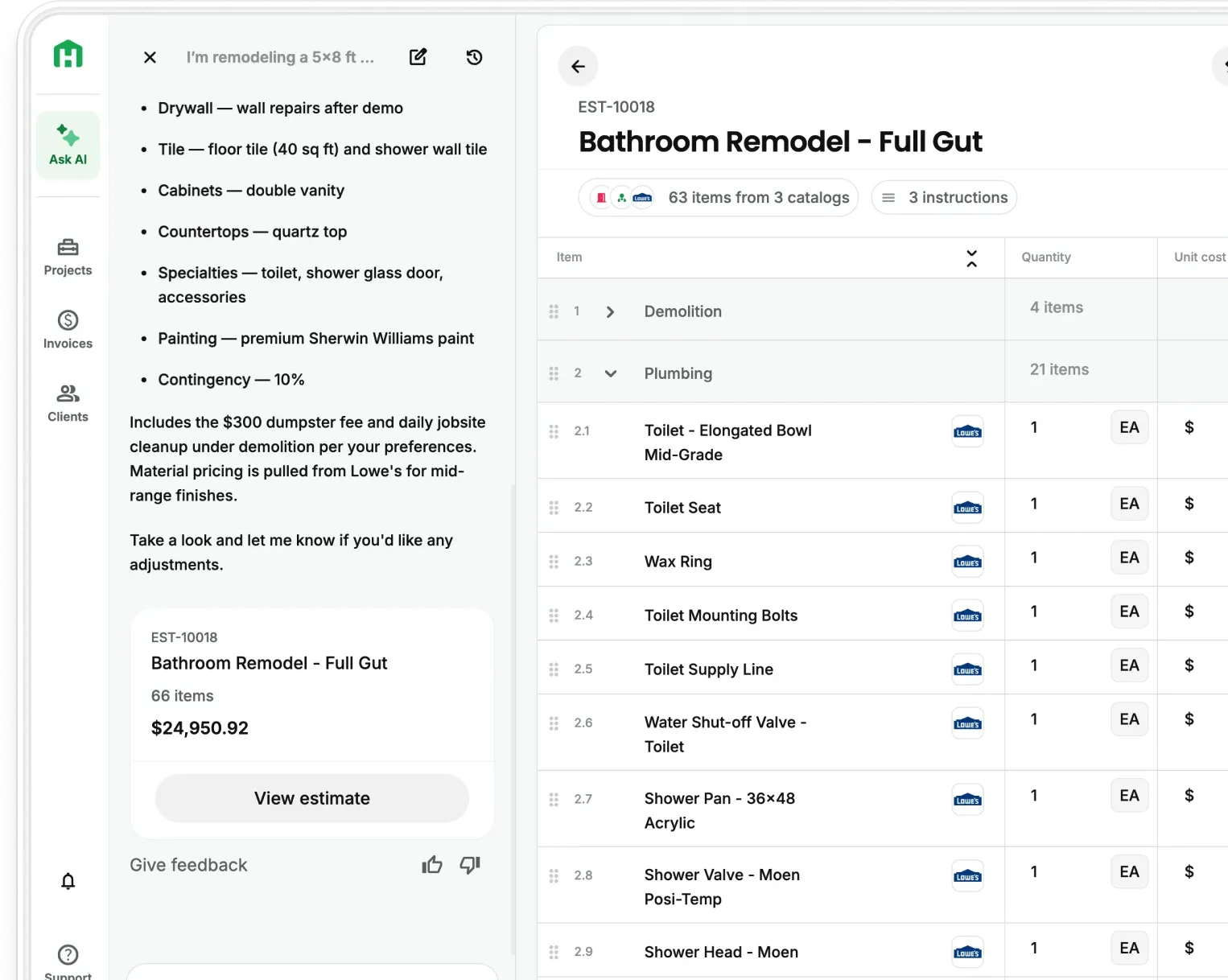
Your estimates were in one place. Your CRM was in another. Winning a job meant re-entering the client's information into the system you were about to actually use. So the CRM became a place you went to update after the fact, which is another way of saying a place you eventually stopped going.
What a CRM for residential construction is, minus the jargon
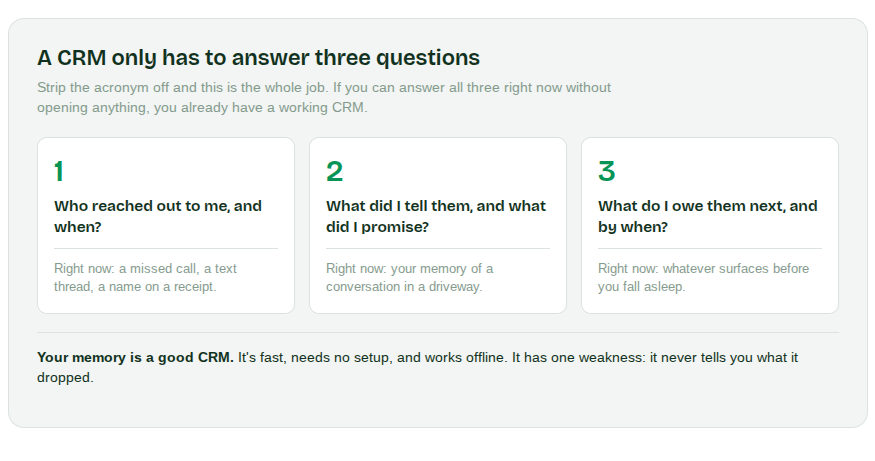
Strip the acronym off and a CRM answers three questions:
- Who reached out to me, and when
- What did I tell them, and what did I promise
- What do I owe them next, and by when
That's it. If you can answer those three for every lead in your pipeline right now, without opening anything, you have a working CRM. It happens to be your memory.
Your memory is a genuinely good CRM. It's fast, it needs no setup, and it works offline. It has exactly one weakness: it never tells you what it dropped.
How you find out your CRM stopped working
Answer: Nobody gets an alert when a lead goes cold.
You meet a homeowner on a Tuesday. Good conversation, real project, they want to move. You tell them you'll get them a number by the end of the week. Then a job you're already on opens up a wall and finds rot, and Thursday becomes about that while Friday becomes the schedule you now have to redo.
Three weeks later you're driving past that house and there's a different truck in the driveway.
Nothing broke. You didn't forget them, exactly. They just got quietly outranked by an emergency, the way every lead gets outranked by every emergency, and the only signal you got was a truck in a driveway a month too late.
You might not need software for this yet
If you're carrying three or four active leads at a time and you close most of them, you’re fine. You probably have a memory that is comfortably within its limits. Buying software right now would give you a chore and no relief, which is exactly what happened last time.
The threshold is whether you've started to feel the specific dread of not knowing what's outstanding. It sounds like:
- Waking up at 2am trying to remember whether you sent the Hendersons their number
- Scrolling back through a text thread to figure out what you quoted someone
- Realizing a lead is old enough that reaching out now feels awkward
- Being genuinely unsure how many people are waiting on you
When those show up, that's a signal to pay attention to. Before then, adding software is solving a problem you don't have yet.
What would have to be true for a CRM construction software to stick this time
If you're going to try again, the bar should be higher than it was in January. Two things have to be true.
Primary concern: It has to fill itself in.
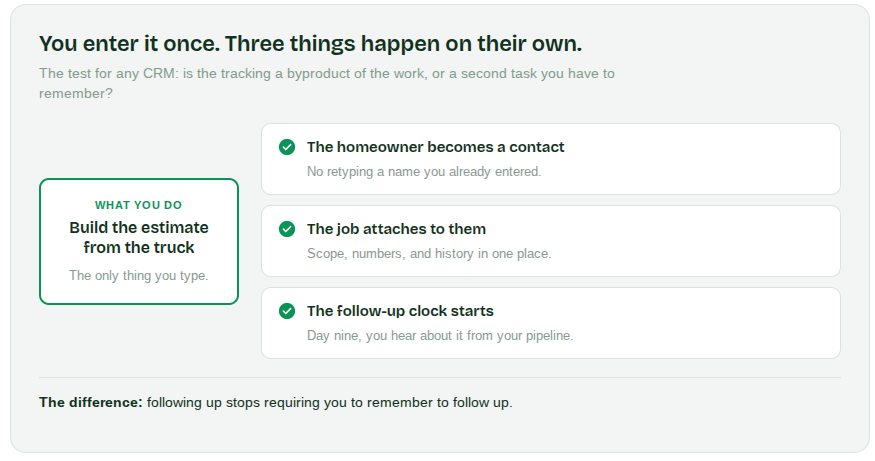
The test is simple. When you build an estimate for a homeowner, does that person become a contact automatically, with the job attached, or do you have to go type their name somewhere else? If it's the second one, you're back in the same trade you already abandoned. The information you enter to do the work should be the same information the system uses to track the work. Once, not twice.
Secondary concern: It has to tell you what's outstanding.
Not a dashboard you have to remember to open. A CRM that requires you to check it has the same failure mode as your memory, with more steps. What you actually need is for something to surface the lead you haven't touched in nine days, before it becomes a truck in a driveway.
What this looks like when it's working
The difference is that following up stops requiring you to remember to follow up.
You walk a bathroom on Tuesday, build the estimate from the truck, and the homeowner becomes a contact with the job attached because that's a byproduct of the work, not a secondary task. The proposal goes out and the system knows it went out. Nine days later, when they haven't responded, you find out from your pipeline instead of from a competitor's truck.
The homeowner experiences this as a contractor who’s on top of things. The best part is you didn't;t have to do anything extra.
Pro tip: If you try again, try an integrated system
Setting up a CRM in one sitting, entering every job, converting your whole business at once, is how you end up with a system you resent by week three. It's a big upfront cost against a benefit you can't feel yet.
Try it on one lead instead. The next homeowner who calls you, run the whole thing through: the estimate, the proposal, the follow-up. See whether the tracking happened on its own or whether you had to go maintain something.
If you had to maintain it, you learned that fast and cheap. If you didn't, you now have one lead in a system that filled itself in, and the second one costs you nothing.
That's a much smaller bet than a Sunday.
Want to see if it holds up on one job? Start your free trial and run your next lead through, start to finish.
Questions worth asking before you try again with another construction CRM software
What is a construction CRM, in plain terms?
It's whatever holds three pieces of information for every lead: who contacted you and when, what you told them, and what you owe them next. Most contractors already run one in their head. Software only earns its place when it can hold those three things without you feeding it.
How many leads do you need before a CRM is worth it?
There's no clean number, and anyone who gives you one is guessing. The better signal is whether you've started losing track of what's outstanding. Three leads you close reliably is not a CRM problem. Nine leads where you're unsure who's still waiting on you is.
Can a CRM work if your crew won't use it?
It has to, on a small shop. Any system that depends on three people updating it consistently will drift within a month, because the person with the most information is usually the one with the least time to enter it. The systems that hold up on small teams are the ones where the tracking is a byproduct of the estimate and the proposal, not a separate habit anyone has to maintain.
What happens to the leads you already lost track of?
You get them back, mostly. Old leads are less dead than they feel, and a homeowner who went quiet in March is usually not choosing someone else so much as dealing with their own life. Reaching out after a long gap feels awkward and rarely is.