


Every contractor has a version of the same story. The estimate is approved. The client shakes your hand. And then you go home and open a spreadsheet.
You copy line items. You guess at how long each phase will take. You figure out what can run at the same time, what can't, and what falls apart if something slips. You build a schedule that has nothing to do with the actual estimate you sold. Then you share it — over email, or text, or by printing it out — and hope everyone's looking at the same version.
That's not a system. That's a habit. And it wastes hours on every single job.
Introducing: AI Scheduling
AI Scheduling turns an approved estimate into a full project schedule in one click. Pick a start date. Your AI Teammate puts the phases in the right order — demo before framing, rough-in before drywall — and lays out what can run side-by-side.
Here's what each schedule includes:
- Phases — pulled directly from your approved estimate, in the order the project actually runs
- Durations — based on the line items you priced, not a blank timeline
- Dependencies — what has to happen first, what can run side-by-side, all set up for you
- No Gantt chart experience required — easily drag-and-drop or ask your AI Teammate to make any edits for you
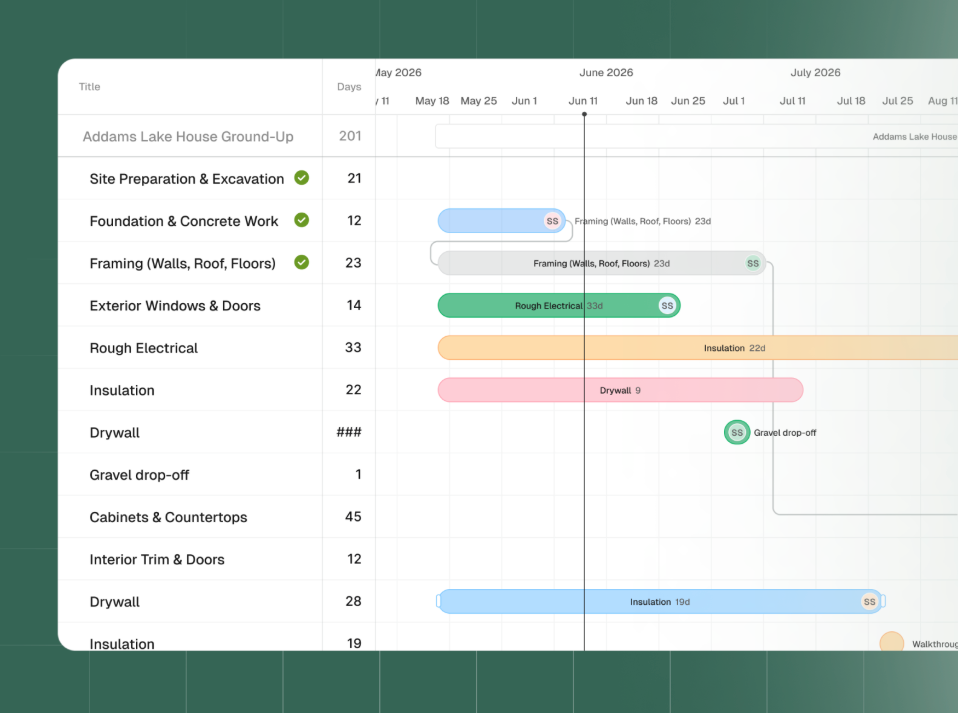
Create an active plan, not a static document
The schedule doesn't freeze when the project starts. Move phases, change durations, add inspections, material deliveries, or walkthroughs. Mark progress as work gets done.
When one date moves, your AI Teammate can redo the rest of the timeline for you. When you want full control, drag and drop it yourself.
Most project schedules are stale within a week. This one updates when reality does.
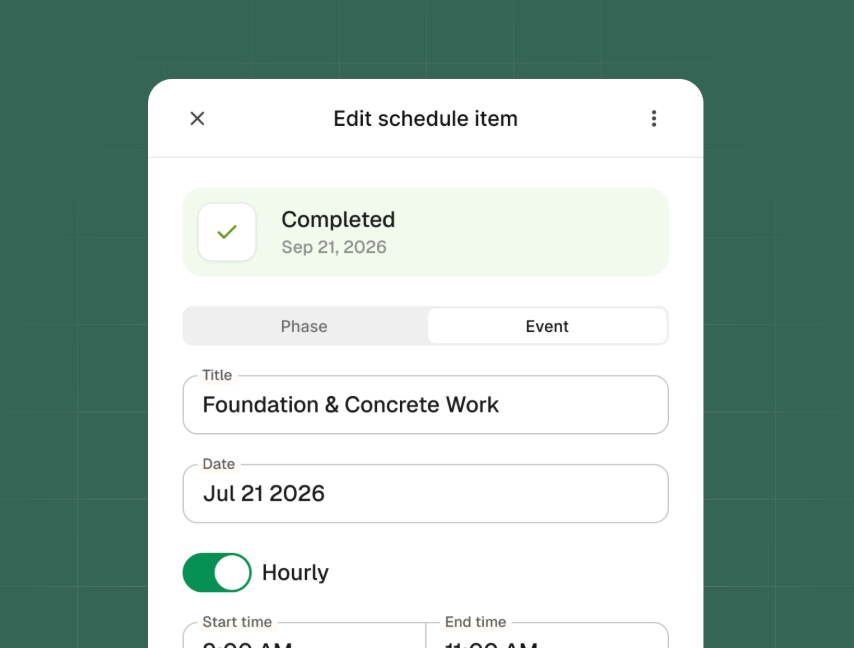
Assign work to your crew
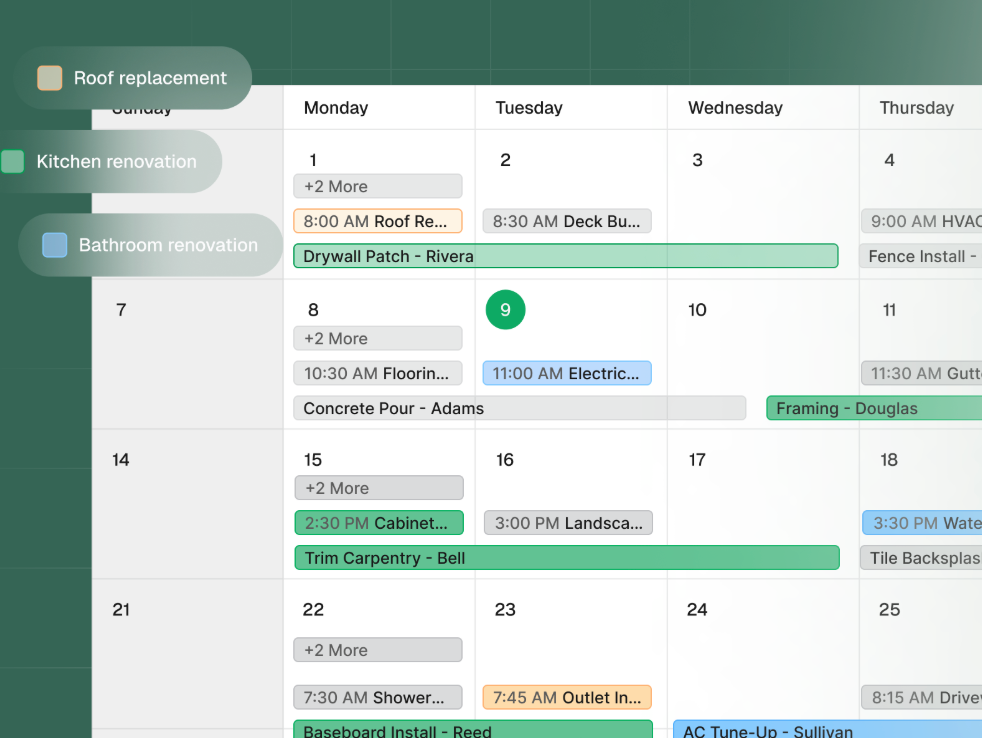
Tag each phase to the lead, sub, or foreman doing the work. Everyone sees what's theirs without a phone call. When you're running multiple projects, the calendar view puts them all on one timeline — so you can spot when two crews need the same week, before you've already promised both.
How AI Scheduling helps your business
Tag each phase to the lead, sub, or foreman doing the work. Everyone sees what's theirs without a phone call. When you're running multiple projects, the calendar view puts them all on one timeline, so you can spot overlaps before they hit the job site.
AI Scheduling keeps your team informed and connected, while systematizing the way you project manage your work.
Try AI Scheduling on your next active project
AI Scheduling is available now for all Pro and Scale plans and in all trials. Open any project in Handoff, pick an approved estimate, and generate your first schedule today.
Frequently Asked Questions (FAQ)
What is Handoff AI Scheduling?
AI Scheduling is project scheduling built into Handoff. Contractors generate a full project schedule from an approved estimate in one click, edit by hand or with AI, assign phases to crew members, and view every active project on one calendar.
How does Handoff build a project schedule from an estimate?
Handoff reads the line items in your approved estimate and turns them into ordered project phases — including durations, what depends on what, and what can run at the same time. You pick the start date, and the schedule is ready in seconds.
Can contractors edit a schedule after it's generated?
Yes. Contractors can move phases, change durations, and add inspections, deliveries, or walkthroughs at any time. When one date shifts, AI can redo the rest of the timeline, or contractors can drag and drop changes manually.
Can phases be assigned to specific crew members?
Yes. Each phase can be assigned to a lead, sub, or crew member, so everyone knows what they own. Assignments stay tied to the schedule and update automatically when phases move.
Is there a way to see all active projects in one place?
Yes. The cross-project calendar view shows every active project on a single timeline, so contractors can spot scheduling overlaps and crew conflicts before they hit the job site.
Who is AI Scheduling built for?
It's built for residential remodelers and small general contractors who already build estimates in Handoff and want to run those projects without rebuilding the plan in a spreadsheet.


