


Keep your project schedule updated wherever your team checks it and bring room measurements into Handoff without entering them twice.
Pro and Scale customers can now connect Handoff to Google Calendar and MagicPlan. Schedule changes sync between Handoff and Google Calendar, while MagicPlan sends floor plans and room measurements directly into the project.
Available now on Handoff Pro and Scale plans.

No more updating schedules and measurements twice
Your project schedule is in Handoff. while your crew, subcontractors, and clients rely on Google Calendar. When a phase moves, someone has to update the date twice. If they miss one, a subcontractor can arrive at a project that has already been rescheduled.
Measurements work the same way. You scan a room on-site and every dimension you need is sitting on your phone in structured form. Then you retype it into the estimate. Transpose one number and the square footage is wrong, which means the material cost is wrong, which means the estimate is wrong.
Your schedule and measurements should not require double entry.
Keep the same project schedule in Handoff and Google Calendar
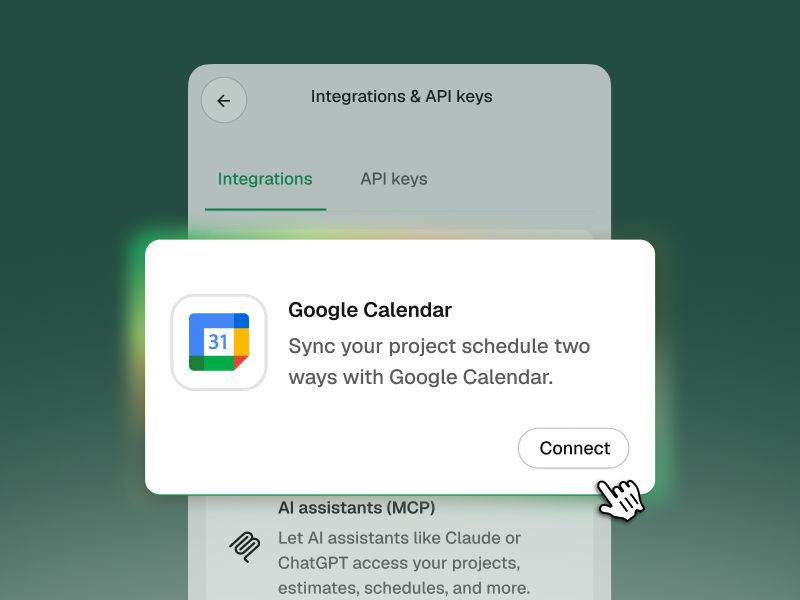
Connect your Google account once and choose which calendar to sync to. From then on it runs both directions.
- Handoff to Google. Create or update a schedule phase and it appears as a calendar event. Titles, dates, addresses, and descriptions come with it.
- Google to Handoff. Move an event in Google and Handoff picks up the change, usually within a few minutes.
- Invites for people outside your company. Assign a sub or a client to a phase and they get a standard Google Calendar invite. They do not need a Handoff account or a login. When they RSVP, you see it in Handoff.
- Your AI Teammate can see your availability. Ask whether you are free Thursday and you get a real answer, checked against your actual calendar, with conflicts flagged.
One thing to know about the Google-to-Handoff direction: events created in Google land in your global schedule first. Your AI Teammate will suggest which project an event belongs to, but you confirm it before it attaches.
MagicPlan: scan the room, estimate from real numbers
If you already scan with MagicPlan, this removes the export step entirely.
Add your MagicPlan API key once in Settings. Then scan on-site as you normally would. The floor plan file comes into the project's Documents, labeled with the source app and the scan date, and every room arrives with its measurements attached:
- Room name and type
- Square footage
- Ceiling height
- Perimeter in linear feet
- Wall dimensions
- Window and door counts
Those measurements are ready to reference when you build the estimate, without reading dimensions from a printed plan or entering them again.
If a scan does not line up with a project, it lands unmatched and you assign it in Handoff.
How to connect both Google Calendar and MagicPlan
Both live in the same place: Settings → Integrations and API Keys.
For Google Calendar:
- Click Connect Google Calendar and sign in
- Choose which calendar to sync to
- Your schedule phases start appearing there automatically
For MagicPlan:
- Generate an API key in your MagicPlan account
- Paste it into Handoff
- Scan on-site as usual
Once connected, the integrations continue syncing as you schedule projects and complete new scans.

Available now on Handoff Pro and Scale plans
Both integrations are live for Pro and Scale accounts, and both are set up from Settings under Integrations and API Keys.
Keep schedules and measurements connected without entering the same information twice. See what’s included in Handoff Pro.
Other FAQs about Handoff integrations
Do my subs need a Handoff account to get calendar invites?
No. They get a standard Google Calendar invite like any other. No login, no account, nothing to install.
What happens if I disconnect Google Calendar?
Syncing stops. Events already in your Google Calendar stay there. Nothing gets deleted.
Does the MagicPlan integration build my estimate for me?
No. It brings the floor plan and every room measurement into the project. Building the estimate from those numbers is still your call, which is where you want the judgment anyway.
Will Google Calendar changes update the Handoff project schedule automatically?
Yes. When you move or update a synced event in Google Calendar, the change flows back into Handoff. Events created directly in Google Calendar appear in the global schedule first so you can confirm which project they belong to.


